5 Social Fundraising Alternatives to Facebook Causes
via mashable.com
5 Social Fundraising Alternatives to Facebook Causes
3 Must-Subscribe Sources For Useful SEO Tips
.
Conversation Marketing
We recently touted SEO guru Ian Lurie's Conversation Marketing as a great example of a company blog, and we'd be remiss not to mention it here as well. What makes Conversation Marketing such an excellent resource for Internet marketing know-how in general is a vast repository of thoughtful content and Lurie's own personality, which is marked by an often hilarious disdain for BS. He manages to take what can sometimes be a over-hyped and even sleazy topic and present it to readers honestly and with a sense of humor. The blog has an archive of content going back to 2003 that includes posts on just about any Web marketing and SEO-related topic you can think of.
7 Steps for Building a Community on Twitter
August 5, 2010 by Brian Rice1Twitter provides an excellent channel for marketers as it is “a real-time information network powered by people from around the world” who are interested in discovery and communication. In order to tap in to this tool, it is important to become an actice participant who consistently adds value to the community.
Below are 7 Steps for Building a Community on Twitter:
- Start with the Basics – Your profile page is your first opportunity to build credibility. It important to take full advantage of the elements that you can control such as the BIO section, profile picture, background imagery and link. Don’t underestimate the value of your Twitter page appearance – it should reflect your branding guidelines and personality.
- Make the Commitment – There is no quick way to build a targeted and loyal community. In order to be successful, make it a planned activity and set aside time each day to spend 30 to 60 minutes on Twitter participating.
- Know Your Target Audience – It is essential to understand what content is relevant and useful to the individuals you would like to reach, you must take a content approach to growing your community. Don’t simply make it a numbers game – “the who matters more than the how much”.
- Have a Personality – Remember, it is a community made up of people so include your personality in your tweets.
- Provide Value – In my opinion, this is critical and requires you to listen to your audience and be an active “good citizen” in the community. Don’t make it a one-way broadcast by only tweeting out promotional messages and avoid flooding your audience with updates.
- Tweet Responsibly – This should be a no-brainer but don’t share confidential information or use your account to stage attacks on your competition – always be respectful.
- Be Present – Don’t be a wallflower. Respond, ReTweet and Interact. Be sure to regularly acknowledge, highlight and thank those contributing members who continually add value to your community.
14 Attention-Grabbing Tactics for Launching a New Business Blog
You’ve created a blog for your business. Now what? You’re probably asking yourself, “How do people find out about my new blog?”
The simple answer is: You have to promote your blog and let people know it exists.
Optimizing your blog for search engines is critical, but just like any website, product, book or service you create, you have to promote the launch of a new blog.
There are a lot of ways to promote a new blog and I’m sharing 14 tactics to help you get the word out about your new baby. Heck, you could use these tactics for an established blog as well if you want a boost in traffic and subscribers.
But before you tell the world your blog exists, make sure you have completed these essential tasks first:
- Does your masthead (banner) make it easy for new readers to know what your blog is about and if it’s right for them (target audience)?
- Is your name as author/publisher easy to find?
- Do you have an About/Contact page?
- Do you have subscription options (RSS and email)?
- Do you have a call to action to get more info (join your mailing list, get a free report, etc.)?
- Do you have social sharing buttons on your posts?
- Do you have links to your social networking profiles?
- Do you have comments enabled?
- Do you have 7 to 10 posts published?
Point #9 is important because you don’t want to send people to a blog with only one or two posts. New readers will want to get a sense of your style, content and expertise before they commit to subscribing. I strongly recommend having a minimum of seven posts published before you start promoting your new blog.
Implement the Obvious First
Before I get to the 14 creative ways to promote your blog, implement the obvious and see #12, 13 and 14 in this article.
- Syndicate your blog content to your Twitter stream.
- Link your blog to your Facebook business page.
- Link your blog to your LinkedIn profile.
- Submit your blog to the appropriate blog directories.
- Write and post a media release.
- Send an email announcement to your list.
The Not-So-Obvious
When I was thinking about this topic, I decided to “tap the wisdom of the crowd” to get the best of the best ideas. I posted the following question on LinkedIn Answers:
Question posted on LinkedIn Answers.
There were 27 responses in 7 days. There were many similar recommendations and a few that stated the obvious (like using social media and writing engaging content). I’ve culled through them and offer you a selection of tips I feel are the most effective for launching your new business blog.
#1: Host a Live Streaming Video Event
When Mike Stelzner launched Social Media Examiner, he created buzz and a lot of traffic by hosting four back-to-back video chats with the initial contributors (me, Mari Smith, Jason Falls and Chris Garrett).
#2: Use Offline Marketing
Boris Mahovac recommends going offline and sending postcards to your existing clients, asking them to promote your new blog to their contacts. Using a unique URL will allow you to track new visitors/signups, and this can be a way for you to reward the one client who sends the most traffic to your new blog. You need to give your clients an incentive to promote your new blog—say a chance to win an iPad, or something more expensive, depending on the business (model).
#3: Create a Video to Promote Your Blog
Apryl Parcher suggested using Animoto.com to create a video about your blog. Post it on your YouTube channel and Facebook page. Send the video link to your email list as well. Several others also mentioned creating videos and with the popularity of video, I encourage you to include it in your launch plan.
#4: Use Remote Blogging Sites to Extend the Reach of Your Content
Brandon Uttley uses Posterous.com to post excerpts from blog posts with links back to his main blog and other social media sites. Remote blogging sites often have high traffic and this puts your content in front of potential new readers.
An excerpt of the original blog post is published on a Posterous blog with a link back to the original post.
#5: Host a Live (In-person) Event for Your Announcement
As Barry Hurd says, “I think a lot of people forget the social part of the media. Launching a new blog is really about reaching through your relationships.” Host a private reception, dinner or cocktail party with industry leaders in your niche. Or, go big and host a meetup or tweetup and cross-promote with a charity. Live events are an opportunity to connect face-to-face, get to know the needs of your target audience and build a lot of goodwill.
#6: Repurpose Your Content
I could relate to Kathi Browne’s suggestion to submit blog posts on article sites like EzineArticles.com. There’s more on repurposing your blog posts here.
#7: Feature Experts
It comes as no surprise that Liz Strauss , a master at building community, shares a tip about featuring other people on your blog. Start an interview series that features experts who folks want to know better. Invite a wide range of people to participate in short interviews that ask unusual and insightful questions. Include the expert’s name in the blog title. Additionally, make heroes of other people who are just starting out. Point out their work as well.
#8: Comment on Other Blogs in Your Niche
This suggestion was offered by quite a few people, and with good reason. As Janet Fouts says, “Commenting on other blogs with useful (not promotional) information and insight can pique the interest of other readers and also build those treasured backlinks.”
#9: Do Some Guest Posting
This idea came up many times as well. There are two sides to this: inviting other bloggers to guest post on your blog and offering to guest post on complementary blogs. Both ways can generate visibility for your blog. The value is in creating connections with colleagues and creating win-win-win for you, other bloggers and your readers. The links and buzz will support your blog launch.
#10: Host a Webinar
Along the lines of a live video chat or an offline event, create a webinar or teleseminar to introduce your blog. Rather than simply announcing your blog, make it a learning experience by teaching or demonstrating an aspect of your expertise. Remind your audience they can continue getting the same great content by subscribing to and reading your blog.
#11: Run a Contest
Dawn Pigoni offered this excellent idea: Run a contest based on the content of the blog. Have an “answer hunt” where the answers to win the prize(s) are found within the blog posts. That will get people reading the quality, content-rich posts while attempting to win a prize. Then use Twitter to post questions and the winner(s).
#12: Host an Online Radio Show
BlogTalkRadio is a popular and free site that provides the tools and foundation for creating your own show. Because of high traffic and the syndication options on Blog Talk Radio, a show focused on your niche could generate an ongoing stream of visitors to your blog. If hosting isn’t for you, most radio hosts are always looking for guests to fill their time slots. No doubt you can find many shows that are in alignment with your blog’s niche.
#13: Create a Related Special Report
Brian Clark of Copyblogger.com shared his secret: Release a valuable piece of “extended content” such as a PDF report or video tutorial (without an opt-in) fairly early after the blog launches. While the content itself is valuable, it also acts as a “sales letter” for subscribing to the blog, due to the promise to keep expanding on the themes presented in the extended content in more detail. This allows you to create a “content event” early. And it’s a natural way to attract long-term subscribers if well done. Just be sure to have the opt-in call to action at the close of the extended content, because that’s the action you want people to take.
#14: Advertise Your Site
Clay Franklin recommends using Craigslist, eBay classifieds and Facebook ads to boost awareness of your new blog. This will depend on your budget. If you do want to spend some advertising dollars, you can test a Google Adwords campaign and see what kind of results you get.
If you were to implement just three or four of these ideas, you would see a boost in visibility, traffic and blog subscribers. Pick the tactics that fit with your business model, style and intended audience and you’re sure to experience success.
Craft An Irresistible Price By Focusing On Your Users
Advertisement

Price influences behavior. In order to craft an excellent user experience, the price — and how your users interact with that price — must be central to the development of the product, especially applications. No user will welcome an application if the cost is prohibitive. This makes price every bit as important as design, information architecture and wireframing, and it goes deeper than just getting people to click “Buy.” By focusing on users in setting and maintaining a price, you will increase revenue, lower overhead and, most importantly, significantly improve the user’s (read customer’s) experience.
For just about a year now, between designing and developing client’s websites, I have been running a little app that I created with co-workers. In that time, we have launched, added features, raised the price, added more features and just now begun the early stages of marketing the product. So far, we have done all of this without borrowing a cent, and we have managed to at least cover our costs, if not generate some modest profit. I have no doubt that this success comes from our choices of model and price point.
This article is not about “How to price your app.” There are plenty of good resources for learning how to find the right number. Pricing for use is a framework for continually adjusting your price, when needed, to suit your profit goals and the experience of your users.
Your price is the nail from which you hang your masterpiece. Image source[Offtopic: by the way, did you already get your copy of the Smashing Book?]
Me First
In any pricing endeavor, think of yourself first. Many people think that apps have no overhead. They basically believe that “selling an app is free money, pure profit!” (ahem, Mr. Anderson). As a professional who has been running a application for just under a year now, I can tell you, this is patently untrue.
Digital goods and services have a very tangible overhead: time — time to innovate over competitors, time for customer support and time to cultivate your unique point of view. Each of these requires constant effort if you want to succeed. If you cannot afford this time, you will sacrifice your product, and possibly your livelihood.
Keeping the app running is the only imperative in pricing, so first make sure that your price covers your costs. After that, pricing is really a matter of how much you can gain — and not just in profit, although that will affect your bottom line.
User-Centric Pricing
Matt Linderman of 37signals said it best: “Pricing can be usable, too.” I would only add that pricing not only can be but should be usable. Predict (or just ask) what price point would feel reasonable to your target users, and when they will want to pay for your product. You already agonize over how users interact with your product; why not agonize about how they interact with you at so sensitive a time as when money is involved?
With so much being offered for free these days, paying for an app can be considered an annoyance. Ease this pain as much as possible by making it simple for customers to work payment into the flow of their lives. This could be as basic as setting up an automatic payment system, or it could require a complete re-evaluation of your pricing model.
An Attractive Price
Somewhere between covering overhead and your zeal for profit (Go on, admit it), there is a sweet spot of what you can realistically charge for your product. This is where it gets dangerous — and where many tend to undervalue. Set your price too low and you leave money behind that could be used for growth and reinvestment. Too high a price could be an insurmountable barrier to potential customers.
Ask yourself, “Does this price feel right?” Feel plays a major role here, and intuition is the perfect barrier to push against. If the price feels right, the product will feel right. In Human Action, Austrian economist Ludwig von Mises writes that prices are social phenomena. According to him, “the ultimate source of the determination of prices is the value judgment of the consumers.” So, what would a reasonable customer pay for your product?
A Model Tailored to Your Users
A pricing model determines when users pay you. The best model is tied closely to your audience and the way they will use your product. Forcing the wrong model on an app (to increase profitability or just generate more consistent revenue) can cripple the product.
Freelancers, for example, work mostly on a per-project basis, and any solution they may recommend to a client would need to be easily slipped in as a line item on an invoice. A one-time fee would be the most appropriate model in this case. If the freelancer might come back to the app frequently, though, a monthly or yearly fee would be more palatable. Any cost incurred by the customer must be exceeded by the return in both value and frequency of use. If the app comes with a monthly fee, then users should feel like they are getting their money’s worth every month.
Prices are fluid. Gas, groceries, electronics and many other products fluctuate in price, and consumers accept this as much as manufacturers embrace it. Image sourceBe Flexible
If you feel your price is already too low, raise it. Too high? Drop it, and be a hero to your users. Recently, we raised the price of our app by more than 50%, and I kept a close eye on our stats for the months around the change. Comparing the time frame one month before to the month after, we saw a loss of 17% in number of sales, but a gain of 9% in revenue. Same effort, same overhead, but now more profit to reinvest in support and innovation.
Prices are fluid. Gas, groceries, electronics and many other products fluctuate in price, and consumers accept this as much as manufacturers embrace it. When accompanied by new technology, the price of a high-end television is ridiculous, but the reason is not that the perceived value is so high. New technologies require new production methods, new parts and much more customer service, all of which add to overhead. Early adopters recognize this and are willing to pay the premium. New apps meet similar demands for support and marketing, and the pricing should bend to these needs.
The “U” In Usable
Your price is a workhorse. It can help you solve problems before you ever set up a help desk. It can stymie the competition and even do some marketing. It sets expectations for your product the moment it is introduced, and it continues to work on your behalf (to your benefit or detriment) throughout the entire user experience.
Support Where You Need It
Very early on in the development of our app, we understood that pricing was key to our internal operations, especially support. Our small shop did not have the resources to deliver the kind of support expected of a high-priced app, so we set an initial cost that reflected the investment of time we could afford. This lowered user expectations and allowed us to run our customer service sustainably. As the product grew stabler through revision, and therefore more profitable, we were able to raise our price to more accurately reflect what we considered to be its true value.
Your price determines how demanding or forgiving the person at the other end of the support line will be. Assess your resources and what you can realistically cover. Then, modify your price to fill gaps in service that you cannot afford to offer. Or if you have the manpower, raise the price to reflect the added support time your team can deliver.
Protection Money
If you’re selling to other developers, would they rather improvise their own solution? Would pirating your product be easier for them? Dismissing this possibility on purely moral grounds ignores the free nature of the Web. Look at peer-to-peer sharing: as soon as Apple and others eliminated the arcane barriers of music sharing, people were willing to ignore their compunctions about pirating. Only then did the issue become a question of morals.
Your price protects your product. Choose a price that is easier to pay than to circumvent by stealing or hacking. This frees you to focus on making an excellent product, rather than policing deviants.
The Loudest Voice
Price can market a lot for you. With a lower price, whatever income you lose, you make up for in word of mouth. People love to brag about doing things cheaper and more efficiently. With our product, we set a low price because we deliberately excluded many of the features offered by higher-priced competitors. Our perspective is that simplicity rules, and that point of view is demonstrated in our pricing.
A higher price, on the other hand, could position your product as the market leader and make it more palatable to a wider audience. The majority of people want to pay up to a 30% premium for the leading product on the market, according to Keith Moore, author of Crossing the Chasm. A higher price sets expectations for better service and a better quality of experience.
Pricing At Work
Plenty of great, usable prices are out there. There are also many prices that users barely tolerate. Let’s explore both (but mostly the former).
Campaign Monitor
We wanted a model that was as simple as possible and didn’t require any commitment. For a product like ours, the first-run experience is critical for converting an interested party into a long-term customer. Pricing (and especially requiring credit-card details) can add a lot of friction to this process.
— David Greiner, co-founder of Campaign Monitor
Campaign Monitor’s pricing is as simple as it gets. It provides no barrier to entry and is completely transparent. By building a model around low one-time fees, Campaign Monitor’s product suits the needs of everyone from freelancers to large corporations.
MacRabbit’s Espresso vs. Adobe’s Dreamweaver
Aesthetics aside, Espresso’s price feels simple. Dreamweaver’s forked pricing adds complication, and the $200 gulf between an upgrade and the full product suggests a bloating of price and possibly features. Both companies offer a trial, which is essential to demonstrating value to new customers.
37signals’ Basecamp
Pricing for 37signals’ Basecamp feels right for the audience: professionals. It may be a little steep for individuals who want to organize a group conversation, but a free plan is offered (though heavily de-emphasized). Basecamp is a product that customers use every day, so a monthly plan feels worth the cost. I should know: I have been using it for seven years.
Think Vitamin Membership from Carsonified
Whether the experience is understandable and fair will determine whether the user signs up, so it’s the most important thing. It sets the “value” for the user. It prepares them for what kind of quality they will be getting. The higher the price, the more they expect.
— Ryan Carson, founder of Carsonified
The Think Vitamin membership gives users a good understanding of how price aligns with perceived value. In a tiered system, each level should be tied to cost, whether it be in the form of support, bandwidth, memory or, in this case, proprietary information.
Typekit
Typekit is a great product at a very reasonable price, but it comes with unnecessary inconveniences. By tying recurring costs to domains, it makes for difficult interfacing with project-based design work. This renders the product useless for designers who want to use great typography but chafe at the thought of burdening their clients with the cost of fonts or absorbing the cost themselves for clients they may never work with again. Typekit greatly alleviates, but doesn’t solve, this by offering unlimited domains in the “Portfolio” option.
If You Know User Experience, You Know Pricing
Pricing is merely estimation, our best guess at the perceived value of our offering. But this does not mean that we should do it blindly. To quote von Mises again, “All prices we know are past prices.” According to him, prices never reach a final state of equalization. As long as people continue to grow and change, so will their behavior, and so will our markets — just as our products and their interfaces do.
Focus on your product and its target audience. Work towards pricing that makes cents for you and sense for your users, and continue to refine it to show that you understand and respect your current customers. Do not shy away from intuition or change. Set a price with confidence, knowing that you can adapt as needed.
Usability is relevant beyond the screen; it reaches as far as a user’s wallet. You’ve already honed the skills to create great experiences. Now apply those same skills to crafting a price and model that balance your product’s needs with the expectations and behavior of your customers.
Did video kill the copywriting star?
I received an email from someone asking:
“Since videos do so well in search results, why not just produce videos. Why do you even need words on the page?”
Interesting question, and one that gave me pause. Because the thing is, video marketing (when it’s done right) can be incredibly powerful. Plus, videos are easy to produce. What may have taken a company back in the day many hours and thousands of dollars can now be done with a Flip camera and good editing software. It’s not perfect, but it’s “good enough for Google.”
But here’s the thing: Video marketing can drive rankings, traffic and conversions. But I wouldn’t chuck your SEO content campaign out the window just yet. Here’s why…
- Studies show that text still has power. In an multimedia versus text eyetracking study by the Poytner Institute, people recalled slightly more facts when the information was presented in text.
- Steve Rubel in his blog Micro Persuasion points out that text is more scannable, easier to distribute and easier for mobile users and cubicle-dwellers to view (He believes that “Watching videos [even work related vids] screams ’slacker.’”)
- Jakob Nielsen in a 2005 post asserts that “talking-head video is boring,” indicating that attention wanders when people are watching video online.
So does this mean that you should chuck video in favor of all text, all the time?
Heck no. But on the flip side, you shouldn’t rely 100% on video either.
I’m one of those folks who doesn’t like people “talking at me.” I can’t listen to talk radio, I have a hard time sitting still for two minutes. Watching online video drives me nuts. I want to know what I want to know NOW – and I don’t want to sit through a video, hoping my question is answered in the first 30 seconds. Will I watch videos? Yes – but not when I’m in information-gathering mode. I read too fast and I’m too impatient.
At the same time, video testimonials and mini-broadcasts are powerful, powerful stuff (and yes, I’ll have to bite the bullet and do this myself.) Video gives us “real person” insight – we can watch and listen and see the story unfold. In terms of the consumer psychology benefit, when we see a video testimonial, we can immediately connect with that person and think, “Hey, she’s just like me. And this company was able to help her. Wow, maybe they can help me too.”
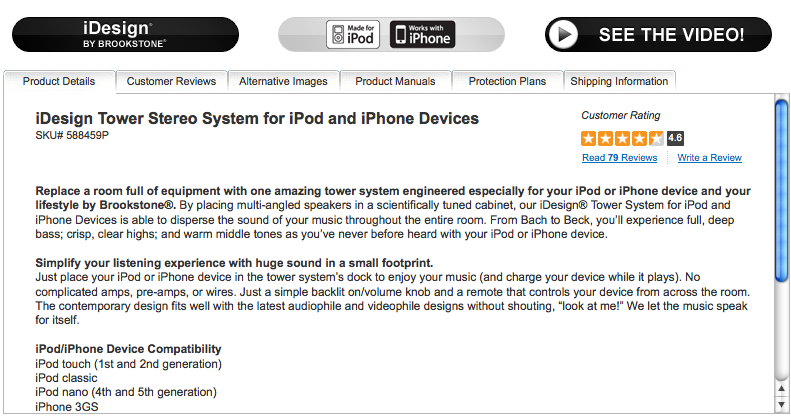
The key is, you want to appeal to both folks. The people like me, who want their information now – and in text form. And the other folks who “connect” with a more visual medium. So, for instance, if you’re planning a product page, you may consider offering both video and text and cover your bases. That’s what Brookstone does for their product pages – and it’s a powerful strategy.
The beauty of the interwebs is you can give your prospects the exact information they want, when they want it. For some folks, that means text. For others, it means video. Both are good.
Video didn’t kill the copywriting star. It just added a new dimension to how we collect and process information.
How Wheat Thins Mined Twitter to Surprise FansPublished on August 5, 2010
The best path to the heart is still the stomach, and Nabisco apparently knows it. The company recently began mining Twitter to find customers who love its Wheat Thins crackers and give a lucky few of them the surprise of their lives. Here's how the company and its agency of choice Escape Pod executed the idea:
They studied how Twitter users view the little crackers. Wheat Thins and Escape Pod listened in on tweets nationwide and decided folks love the crackers in a casual sort of way. "It's an accessory," says Escape Pod's Vinny Warren. People like to say they adore the crackers, but they apparently aren't seeking a profound relationship with the company.
They found their biggest fans—and surprised them. Wheat Thins began choosing a few lucky tweeters and surprising them at home with a free lifetime supply of the crunchy little crackers! (The agency studies a given fan's personality on Twitter and other social media before arriving chez them. Chosen people are positive, responsive online and appreciate a good laugh.)
They prepared for the response. The random visits are generating a great positive buzz for both client and agency. And now that fans know the Wheat Thins van is out there prowling, they are fishing for it on Twitter. If they care enough to tell Wheat Thins they want more, it's fine to surprise them occasionally with what they want, says Warren. But the giveaways are strategically distributed to make sure they stay within budget. And Nabisco has an active Twitter account for the cracker brand (CrunchisCalling) to continue to breed enthusiasm.
The Po!nt: Take it on home. Twitter isn't just for building followers and sharing tweets; it's a rich data source for a brand's life pulse. Consider acting on your Twitter data to create a special real-world experience for customers. They might just eat it up!
Looking for great social media marketing data? MarketingProfs reviewed hundreds of research sources to create our most recent Social Media Marketing Factbook (May 2010). With 140 pages and 102 charts, it is full of relevant social media marketing stats and trends. The Social Media Marketing Factbook is Part 5 of the complete Digital Marketing Factbook (our 296-page full report).
How To Create A Killer Social Media Strategy
If your business strategy does not utilize social media, it’s time to get with the program.
Image: methodshop.com via Flickr
There is a good chance the online world is already talking about your brand.
Nielsen published some astounding statistics about social networks in June:
"The world now spends over 110 billion minutes on social networks and blog sites. Social networks or blog sites are visited by three quarters of global consumers who go online, which is a 24% increase from last year."
We spoke with Nicole Melander, PhD, who teaches American University’s MBA course, “Social/New Media and how it can be Applied Effectively to Business.” She has five tips for companies looking to join the conversation.
- It is better to be extensive in fewer social networks than to spread yourself thin. According to Melander, this is the most common mistake companies make. “Do an upfront analysis and research where the best places to connect with customers are,” she suggests. “It is best to exert energy into a few social tools then to put little time into many.”
If a company builds their brand on fewer networks, it is easier to reinforce them with other marketing. Offline promotions can send customers to one network more effectively than multiple outlets.
- Look at your competition. What are they doing online and what networks are they focusing on? Note what works for competitors and avoid their pitfalls.
- Decide what voice you want to have in the social space. Some brands choose a strictly professional approach, while others give their posts and tweets a company persona. Determine how you want your company to be perceived and only share information that paints the proper image.
- Instate a social media company policy. Tell employees about the company’s social media efforts and get them on board. Each of them is a brand advocate and should join the company’s online community.
However, make sure employees know how to contribute appropriately. “You hear horror stories about tweets that provide proprietary information,” Melander warns. “Most people know the difference between an acceptable contribution and an over-share. People don’t always understand the permanence of their social media actions.” Make sure employees are aware and set clear guidelines.
- Be Realistic. All businesses should invest resources in social media. They should also be realistic when measuring results. “Measuring social media ROI is squishy,” Melander explains. “It is very difficult to define how one tweet can effect a company’s product in the marketplace.”
While there are resources to measure some social media activity, the results of most campaigns are hard to place a finger on. That doesn’t mean that they’re not worthwhile.
Melander believes all businesses need to be utilizing social media. “At this point companies don’t have a choice,” she insists. “ They have to play in the arena somehow." In today's market, how well they play may be the difference between success and failure.
“The conversation is happening,” she continues, “it’s just a matter of how much a company chooses to participate.”
7 Ways Social Media Helps With Business Networking
I’m a firm believer in networking. In fact I credit my network with a great part of why I have achieved my goals in the last five years. My journey from intention through to completion just would not have been possible without my friends, mentors and contacts. Many of the people responsible for where I am I met through this site.
You and I both have unlimited access to humanities greatest networking tool. All you need to do is tap into it.
Of course I am talking about Social Media …
As I embark on the next phase of my journey, our long-planned and wished for move to Canada, I have been reflecting on what I need to establish a new geographically based network. The idea is both daunting and exciting, but I realized there are seven ways that social media is going to help me in my project.
I would be interested if you would agree or if you can add to this list …
How Social Media Helps Your Professional Networking
1#: Visibility
The most immediate piece that struck me when laying out my networking plans was that I can mingle with the Calgary folks from my current base here in the UK. This is super powerful when you think about it. I could have in fact have chosen where to move based on how receptive the locals were to me if I needed to!
As it turned out, Calgarians are lovely welcoming people, as most Canadians are, so a ton of people have been very kind when I have reached out already. Flip this around and you will see how visible the people you want to discover and meet become when they engage in social media.
How might I find a Realtor in a foreign city before the internet? I would have to go there and pick up a local newspaper I guess. Now I can just search blogs, Twitter and Facebook. In fact, that is exactly how I found my Calgary Realtor in around 10 minutes!
What this means to you is if you want to increase your visibility in a certain group, niche or tribe, start discovering them and introduce yourself before you make any physical moves!
#2: Pace
Real world networking is great for deepening relationships and forming close bonds. This is why I travel over 100,000 miles in flying metal boxes each year. Online networking is just faster and more efficient for making initial contact and increasing your reach.
The lesson here is to let the internet do the heavy lifting, then after making contact grow relationships in person where possible.
#3: Common Interests
Conversations start around common interests. People in social media congregate around common interests. We can find people in Twitter lists and Twitter chats, Facebook and LinkedIn groups, blogs and so on. Where there is an interest there is a social media gathering. This makes it perfect for finding people just like you!
Our big tip here is to work out what you are passionate about then discover the places other people with the same passion hang out. Make some friends!
Use social tools to people with common interests, goals - find your tribe!
#4: Shared Goals
OK, I get it, you do not have time to chat. Rather than interests, find people with the same goals. Join mastermind groups, training, workshops, partners, joint ventures … Again, LinkedIn, blogs and Twitter are all places where you can find potential partners, and be informed of training or workshops that are taking place.
There are also hashtags you can follow for almost every event now, so you can follow the topics and who is representing remotely.
Find people who are aligned with what you hope to achieve and you are more likely to achieve it.
#5: Sense of Connection
Once you have found the people who match your criteria, you can start having conversations without feeling like you have to do this big routine to break the ice. Once you are in conversation you can maintain the relationship with a light touch, knowing they are only a Tweet or status message away.
I’m one of those people who HATES the telephone, but finds it easy to have a gajillion textual conversations on the go each day! Maintain your connections by remembering to keep listening for your networks news, and let people know what is going on in your world too.
Update Twitter, Facebook and LinkedIn with any changes and to let folks know you are still thinking about them!
#6: Self Disclosure
A big part of forming human relationships is “self disclosure” where you give people a little of yourself, your story, and your thoughts. Of course social media is full of self disclosure to the point of Too Much Information at times!
Through your blog, photographs, video and your updates you can give people a sense of who you are, your personality, and they can pick up as much or as little as they need.
What you need to take care of though is decide your boundaries, how much you are happy to share, and to ensure that you are not giving people a distorted or unhelpful impression.
#7: Community Cohesion
Once a part of a community social media helps you strengthen the bonds, through news, discussions, events, and help. Through social media you no longer have to wait to access the latest gossip!
Be careful that you are seen a positive influence and a genuinely helpful community member through what you say, your sharing and your actions.
Summary
I am an introvert so before the social media tools came around I often struggled to make progress with networking. Through social media I have been able to make great strides, at a distance, so now even this shy networker can develop a brilliant support network.
Unless you’ve found some way to completely avoid stupid celebrity gossip, you’ve probably heard about how world-renowned actor Laurence Fishburne’s daughter is breaking into Hollywood…via sex tape. 19-year-old Montana Fishburne is going to star in a porn film and it’s interesting to hear her reason why.
“I’ve watched how successful Kim Kardashian became and I think a lot of it was due to the release of her sex tape.”
While it’s true that Montana’s idol – reality TV star, model and now business mogul Kim Kardashian – has skyrocketed to celebrity, I wouldn’t count on Montana’s personal brand achieving the same effect. Sure, she’ll get her 15 minutes of fame (and the clock is ticking), but a good personal brand requires much more than one bootleg movie. Here are 7 better ways that you can build your personal brand…without releasing a sex tape.
Start a Blog
Yup, you knew this one was coming. There are a lot of reasons why every young professional should have a blog (hell, every professional!) but one of the biggest benefits to having a blog is that even if you’re not a bigshot CEO of your company, blogging can allow you to become well-known in your field. Need help getting started? I got you. Last week, I announced my new project, Blogging for Branding, a resource to help you with all the aspects of blogging in order to build your personal brand.
Get Your Own Business Cards
This is one of the most important things you can do for your personal brand (especially for jobseekers). Ever since I was 18, I’ve had my own business cards. And even when I was working a full-time job, I kept a stack of business cards in my purse to let people know about my blog and where to contact me outside of my 9 to 5. My favorite place for business cards is Vistaprint. I’ve used them for the past 10 years because of their low cost, easy-to-use website and quick delivery. And when I say low cost, I mean low cost. New customers get 250 premium quality, color business cards free! (You just pay for shipping.) Click here to order yours.
They also have a ton of professional business card templates, but I always keep mine very simple. (If you can’t see the images below, click here.)
And don’t be afraid to tell people how you want them to interact with you. For instance, the backside of my business cards say “hire me” pretty prominently. People always comment on how bold it is. But you have to remember that marketing yourself is a lot like marketing a product. You have to tell people what action you want them to take after they see what you have to offer.
Attract Fans and Followers
If you want to build your personal brand and you’re not on Twitter by now, I don’t know what is wrong with you. You can get started using my Twitter 101 guide if that helps. Once you’re on Twitter, you should be following other people in your career field or niche as well as tweeting insights about those specific topics. If you have a blog, you should also set up a Facebook fan page for yourself in the “writer” category and link to it from your blog so people can keep up with your updates. Don’t forget to put your Twitter and Facebook names on your business cards!
Get on YouTube
People like TV. People like movies. People really like to connect with other human beings by face, so it makes sense that millions of people watch YouTube videos everyday. Yeah, you could wait until you get interviewed on TV, but in the meantime, the best way to let people get to know you by your face and voice is by posting video updates on YouTube. It’s easy and free! Pick a topic that you can share your expertise and opinion on and post a brief video about it every week or every month. It’s up to you. Just be sure to spread your videos far and wide once you take the plunge into YouTubeland. Need inspiration? Look no further than Kim Love. For the past year and a half, the natural hair enthusiast has used her YouTube channel, KimmayTube, to share her expertise with the world and recently leveraged it to launch a successful retail business.
Think Local
Chances are, your personal brand is never gonna be world-famous or even nationally-known, and it probably doesn’t have to be. If you want to become well-known in a particular career field, for instance, it’s probably more useful for you to connect with those in your immediate community instead of trying to be too broad, too soon. Blog about how local issues tie into your niche and introduce yourself to influential people in your city and state that can help you build your professional reputation. Samuel Richard does this very well and has built up a great reputation for himself as a young nonprofit leader in Phoenix.
Network With a Purpose
Networking is such a misunderstood term that we took some time to define it on our recent Twitter chat for young nonprofit professionals. @ShannonRenee put it this way:
Networking is meeting people to develop a mutually beneficial professional relationship.
Sounds good to me. The only problem I see is when people go to happy hours and conferences without a purpose in mind. They go, they drink, they go to workshops and then they go home without ever exchanging a single business card. Why go to an event in your industry and not connect with the very people who can help you further your career and vice versa? Remember: you don’t really need to work the whole room, just the parts of the room that apply to what you want to be known for in your niche or career field.
Dust Off Your Email List
Chances are, you don’t email people outside of your workplace as much as you could. Yes, it’s nice to post updates on Facebook and Twitter, but alas, everyone is not on those social networks, and even if they are, you can best believe that they don’t read every single update you post. So, take a couple hours every few months to use email to update your network on what you’ve been doing with your career and what your future goals are. Give them a reason to sing your praises or connect you with people in their network who may be doing similar work. I guarantee that there’s someone on your email list that will be interested in your progress or willing to help you get to where you want to go.
What are some other ways that young professionals can build their personal brands…the respectable way?
Social Media Storm Helps Grant Dying Boy's Wish
A 10-year-old Canadian boy fighting a life-threatening illness will get to fulfill one of his final wishes of racing through Central Park. But the special trip almost didn't happen, after the airline damaged his wheelchair.
To view our videos, you need to
enable JavaScript. Learn how.
install Adobe Flash 9 or above. Install now.
Then come back here and refresh the page.Tanner Bawn is fighting muscular dystrophy.
This week, a group of people organized a Tweet-a-Thon auction, raising more than $25,000, to help him live out his final wishes.
On Wednesday, Tanner and his family flew from Toronto to New York. Upon their arrival, the discovered his custom wheelchair was broken on the flight, leaving him stuck in bed.
When Air Canada told Tanner's family the chair couldn't be fixed until Monday, they took to Twitter, creating a social media storm. The airline then flew into action, eventually returning his wheelchair in working order.
Despite the setback, he says he's still anxious to see the sites.
"I want to see Grand Central Station and the Statue of Liberty and the Empire State Building," Bawn said.
Air Canada says it found an all-night repair service in the city to repair the chair, and officials are investigating.
The airline also promised to pay for Tanner and his cousins to visit Disney World, one of his top wishes.
For more on Tanner's story, visit http://herbadmother.com/2010/08/what-is-up-with-all-the-tutus/.
Almost Half of Small Businesses Find Customers in Social Networks
- August 6, 2010
- View Comments
In social media, is there truth to the proverb, “seek and ye shall find?”
As our experience in new media matures, learning what it is we wish to seek and also accomplish is at the forefront of rapid evolution. Converting questions into objectives is how we grow and succeed. While the opportunities within social media in general are sweeping, one such possibility that’s largely untapped in business social networking is the ability to find customers and prospects as well as learn what inspires them to make decisions and share experiences.
Customers and those who influence their decisions take to social media to learn, discover and share. As a result, social networks such as Twitter, Facebook, LinkedIn as well as hyper-local networks including Yelp and Foursquare are evolving into potent touchpoints for customer acquisition and retention.
Social Networks in Customer Acquisition
Regus, a provider of workplace solutions with over 1,100 business centers in 85 countries, recently published a study that explored the role of social media in customer acquisition. Based on input from senior managers and business owners around the world, the study found that almost one-half of small businesses are successfully connecting with prospects through social networks. On the other side of the spectrum, only 28% of large firms reported finding new customers in social networks. Medium-sized businesses landed appropriately in the middle at 36%.
A Global Perspective
The worldwide survey also ranked countries who found success in customer acquisition in social networks. With 14 countries reporting, an average of 40% reported that social networks were indeed ripe for converting prospects into customers. At the very top of the list, 52% of businesses in India reported success followed by Mexico, Spain, The Netherlands and China with 50%, 50%, 28%, and 22% respectively. The US ranked 7th with 35%.
1. India – 52%
2. Mexico – 50%
2. Spain – 50%
3. Netherlands – 48%
4. China – 44%
5. South Africa – 43%
6. Germany – 41%
6. Australia – 41%
7. US – 35%
8. Canada – 34%
9. France – 33%
9. UK – 33%
10. Japan – 30%
11. Belgium – 27%
combination of search and focused keywords
This is Just the Beginning
Leading metrics firm, comScore, released its Q1 U.S E-Commerce Spending Report and found that Facebook and Twitter visitors spend more money online than average Internet users. And, as social networks usage increases, so does the propensity to spend online.
These numbers will only continue to grow. Everything begins with search, and for those businesses who master the art and science of transforming basic search queries into lead generation in social networks will find an entirely new landscape of opportunities. The question is, what are you going to do about it? And once you’ve converted prospects into customers, how will social media factor into your retention and advocacy strategies?
Connect with Brian Solis on Twitter, LinkedIn, Tumblr, Google Buzz, Facebook
___
Please consider reading, Engage!: It will help you find answers to your questions…
___
Get Putting the Public Back in Public Relations and The Conversation Prism:

Tips for Managing Social Media Information Overload
Last week, I gave some tips for managing information overload, primarily with a focus on dealing with email overload. I wanted to follow up this week with a few more suggestions for dealing with the information overload that results from participation in social media.
Before I get into specific tips, let’s talk philosophy for a moment. It will help you maintain your sanity if you learn to think about social media as fundamentally different from more traditional forms of communication, like email and voicemail, both of which require attention and response. Social media is more like radio or television; you tune in when you have time and maybe you record a couple of favorite shows, but you don’t try to listen or watch everything. This is why I like to think of social media as more like a river that flows by: You enjoy dipping your toe into the water when you have time, but you don’t need to worry about the things that floated by when you were too busy to pay attention.
Start With Email
I don’t mean to keep coming back to email, but social media services generate a large amount of bacn: Those emails about new followers, requests, reminders, events and the like. In last week’s post, I talked about filtering, prioritization and time chunks, so consider this a friendly reminder that you should probably filter as many of those emails as you can to get them out of your inbox and into a folder where you can process them once a day or once a week, without having the constant distraction of so many unimportant messages popping into your inbox all day.
Pruning
When you get to a point where a service has too much noise and is no longer as useful as it once was, it is probably time to prune. Like pruning a tree to get rid of some extra branches, you occasionally need to cut a few friends or followers. This is a hard one, but at some point you need to make hard choices that help you increase your productivity at the risk of annoying a few people. Like any gardener, I try to prune people regularly without waiting so long that the overgrowth is overwhelming, but I do sometimes need to go on a pruning spree when I haven’t been diligent about removing people regularly. The most common reason that people get pruned from my list is because they post too frequently for my taste. I also get rid of people because they no longer post about topics that I am interested in reading; sometimes this is because my (or their) interests have changed.
On the flip side of this, there are services that you can use to get notified when someone drops you; I stay far away from those services. People prune all the time for a variety of reason. That’s their choice; I don’t find it a productive use of my time to wonder why someone decided to prune me.
Use Groups and Lists
I said before that social media is like a river that you can dip into and out of when you have time without worrying about what has floated by when you weren’t paying attention; however, there are some exceptions to this rule. We all have a few people who matter more to us than most — trusted colleagues, dearest friends, family and son on — and we might actually want to read everything they say. I have a Twitter list for family and another one for people who post things that I usually want to read (a combination of friends and other really smart people). I make sure that I read these lists first; I only read the larger stream only if I have some extra time. I have a similar strategy on Facebook with friend lists set up for people who are important to me. I start by reading the lists, instead of my main news feed. When I have some extra time, I might read a little more from my main feed.
Think Mobile and Use Downtime
Take the time to install some social media applications on your phone, and have theme set up to be able to quickly and easily read posts in your high priority lists. I regularly use my phone to skim my social media streams when I have some downtime, while I’m on the bus or waiting for someone or something away from my computer. Social media is something that can be easily consumed in small bites, so using these short periods of time to process information can help to reduce overload later.
These are just a few of the many things you can do to reduce information overload from social media, but my biggest piece of advice is just to let it go. Don’t worry about missing something critical. If it’s that important, it will bubble up somewhere and catch your eye.
What are your tips for reducing information overload from social media?

 Posts
All Comments
Posts
All Comments